 Agents HQ
Split any 3D model into pieces that print well and fit together.
Too big for your printer, or easier to print in parts? Print Prep cuts the model where you want, closes the cut faces, and adds pegs and holes or magnet pockets so the pieces line up. Every piece saves as its own STL.
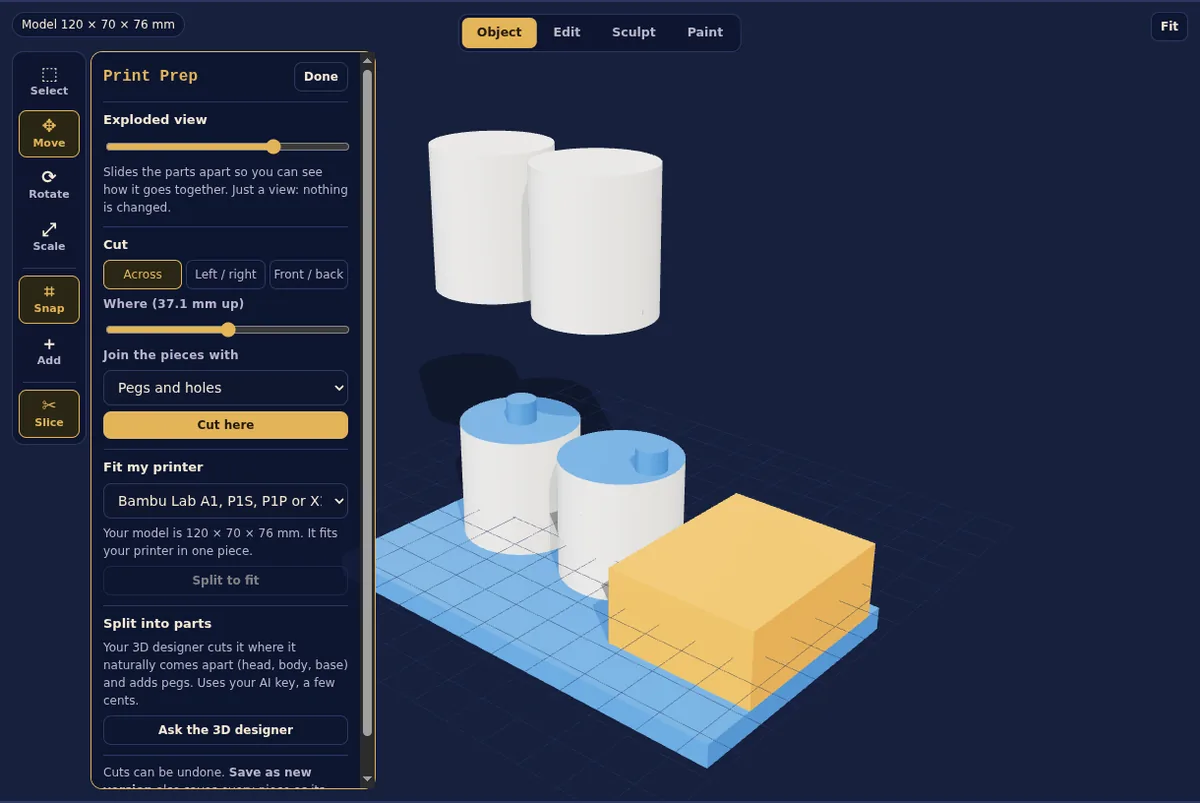
Four tools, $4.99 once
Exploded view
Slide the parts apart to see how it all goes together. Great for checking fit and for showing customers.
Cut tool
Cut across, left to right or front to back, anywhere you like. Join the pieces with pegs and holes (0.4 mm looser so they fit), pockets for 6 × 2 mm magnets, or flat faces for glue.
Fit my printer
Pick your printer (Bambu Lab, Prusa, Creality, Elegoo or a custom size) and big models split on their own so every piece fits the bed.
Split into parts
One click asks your 3D Designer agent to split the model where it naturally comes apart, like head, body and base, with pegs. Uses a few cents of your AI key.
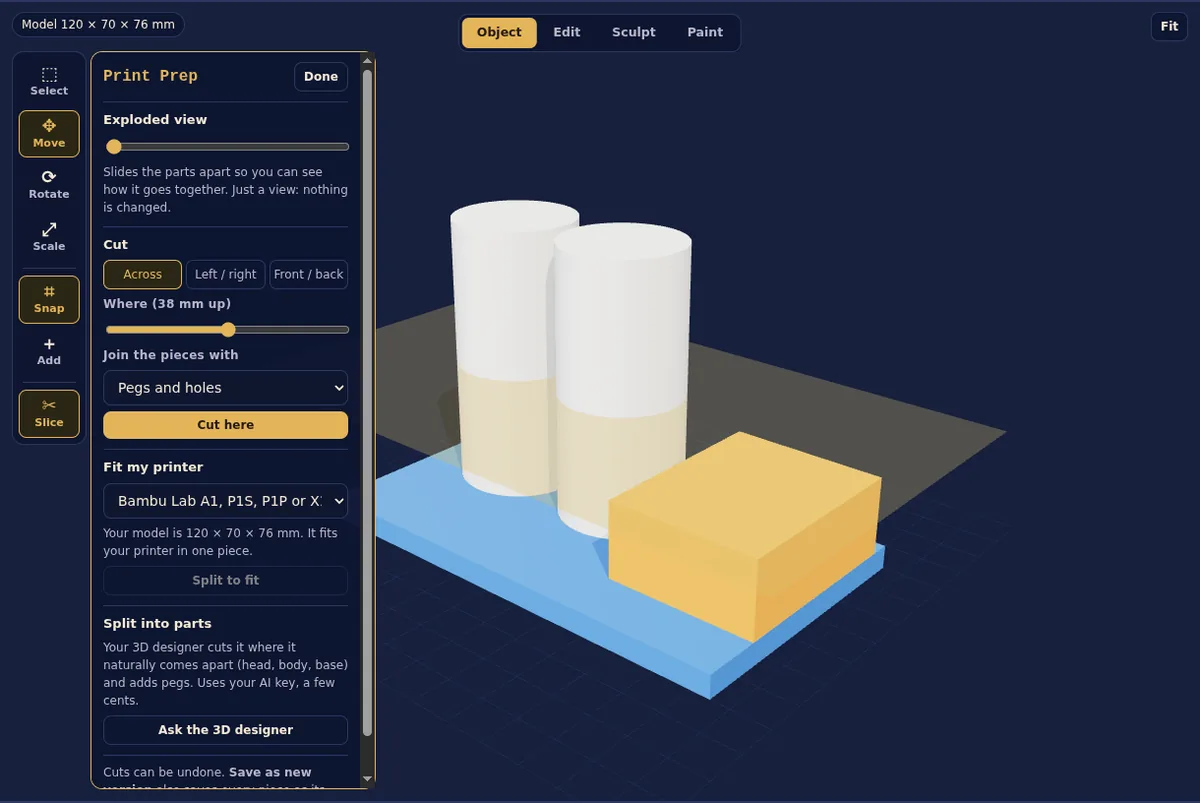
Pick where to cut: the gold plane shows the cut before you make it.
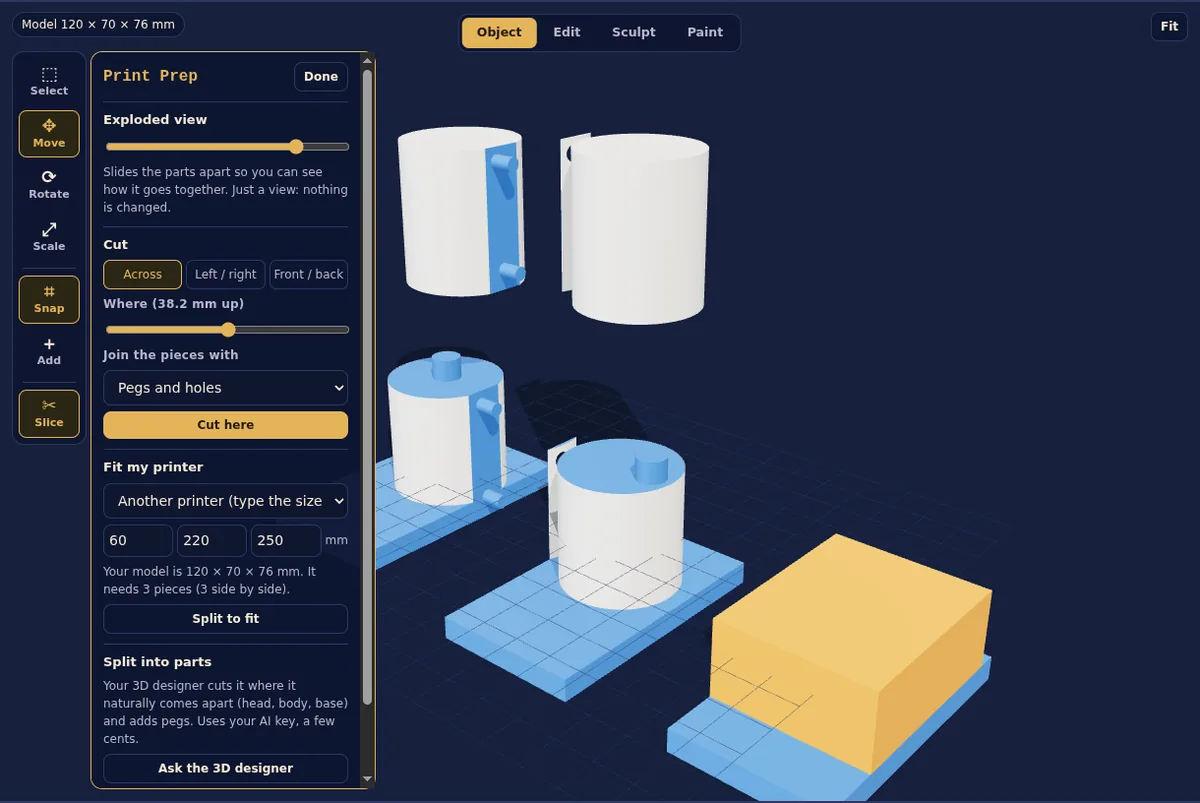
Fit my printer split this one into five pieces for a small bed.
Good to know
What does Print Prep cost?
$4.99 once, unlocked inside Agents HQ. It runs on your own PC, so there are no extra fees. Split into parts uses a few cents of your own AI key.
What do I get when I save?
A new version of the model plus one STL file per piece in its own folder, ready to drop into your slicer.
How loose are the pegs?
Holes are 0.4 mm wider than the pegs, which fits on most printers. Magnet pockets are sized for common 6 × 2 mm round magnets with a little room for glue.
Does it work on models made from photos?
Yes. It works on every model in the 3D Workshop, including ones made with Image to 3D and ones your 3D Designer agent built.
Can I undo a cut?
Yes. Every cut can be undone, and saving always makes a new version, so the original is never changed.
Hire your AI team today
Pay once, keep it. Try it free for 3 days first, no card needed.